

What Is Inverse Data Matrix? Scanner Setup, ISO & Troubleshooting
Inverse Data Matrix Definition
An inverse Data Matrix is an ECC200 Data Matrix symbol printed with reversed contrast — light modules on a dark background — that requires inverse or autodetect decoding mode for reliable scanning.

What Is Inverse Data Matrix?
An inverse Data Matrix is visually inverted but structurally identical to a standard Data Matrix symbol — a two-dimensional barcode commonly used for industrial traceability. The encoding, error correction (ECC200), and ISO compliance remain unchanged. Only the contrast orientation differs.
In industrial environments, that contrast difference affects how barcode scanners decode the symbol, as well as lighting sensitivity and grading results.
The sections below explain how inverse symbols work, when they are used, how to configure scanners correctly, and how to troubleshoot decoding issues.
Regular vs Inverse Data Matrix
The table below compares the key differences between regular and inverse Data Matrix barcodes.
| Feature | Regular Data Matrix | Inverse Data Matrix |
|---|---|---|
| Module Color | Black on white | White on black |
| Typical Surface | Paper label | Metal, dark plastic |
| Scanner Mode | Regular | Inverse / Autodetect |
| Common Industry | Retail, logistics | Aerospace, automotive |
| DPM Usage | Less common | Very common |
The symbol encoding does not change. ECC200 correction remains the same. The only difference is reflectance contrast.
In other words: The data is identical. The light behavior is not.
Why Industry Uses Inverse Data Matrix
1. Laser Marking on Metal & Plastics (DPM Method)
In many factories, parts are laser marked instead of labeled. Laser marking is the most common DPM method used to create inverse data matrix codes on dark materials.
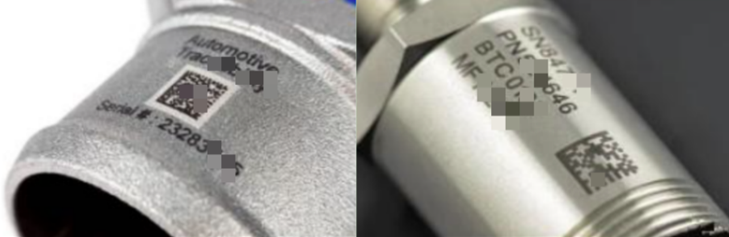
When a laser hits anodized aluminum or coated steel, it removes the dark surface layer and exposes lighter material underneath. This naturally forms a white-on-black pattern — permanent and label-free. No ink. No label. Permanent marking.
This is common in:
- ● Aerospace components
- ● Automotive engine parts
- ● Medical devices
- ● Electronics housings
Laser marking on dark plastics works similarly. For example, a black ABS enclosure may produce light cells when laser marked, creating an inverse symbol by default.
2. Printing on Dark Labels or Packaging
Inverse symbols are not limited to DPM. Thermal transfer printers can create white on black data matrix codes by printing a dark background and leaving the modules unprinted.
This approach is used when:
- ● Branding requires dark labels
- ● Background color cannot change
- ● A premium visual style is needed
In printed applications, strong contrast and sharp module edges remain essential for reliable decoding.
Scanner Configuration: How to Enable Inverse Data Matrix
Many scanning failures occur because the scanner is set to the wrong decoding mode, not because the symbol quality is poor.
Most industrial barcode scanners support at least two Data Matrix decoding modes:
1. Regular Only
The scanner decodes standard black-on-white Data Matrix symbols only.
Use when all symbols are:
- ● Printed labels (paper/film) with dark modules on light backgrounds
- ● Laser-marked dark modules on light-colored metals/plastics
- ● Dot peening creating black dots on light substrates
2. Inverse Autodetect (Recommended)
The scanner automatically detects polarity and decodes both regular and inverse data matrix barcode types.
Use this in mixed environments and modern manufacturing lines. It eliminates manual mode switching during product changeovers and is the safest default setting.
Quick Enable Method: Programming Barcodes
Most DPM scanners like HPRT use configuration barcodes printed in user manuals:
- ● Scan "Enter Programming Mode" barcode
- ● Scan target mode barcode (Regular Only / Inverse Autodetect)
- ● Scan "Save Settings" barcode → Immediately active
Note: High-end DPM scanners also offer "Inverse Only" mode for dedicated white-on-black lines. Check your scanner manual for exact programming barcodes.
Scanner Compatibility and Technical Requirements
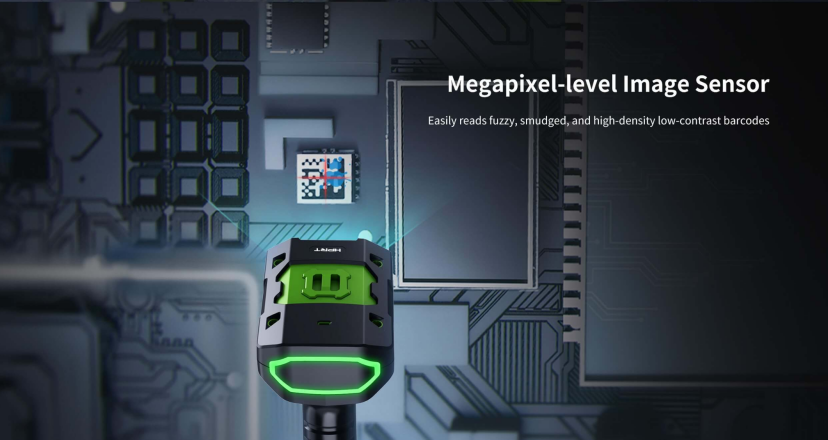
Not all 2D barcode scanners perform equally well when decoding inverse symbols.
1. Reflectance Contrast Matters
Barcode decoding relies on reflectance difference between light and dark areas. For inverse data matrix, the scanner must distinguish:
- ● Bright modules
- ● Dark background
Poor contrast leads to decoding errors.
Industry best practice:
- ● Ensure minimum symbol contrast ratio meets ISO grading standards
- ● Avoid glossy surfaces that create specular reflection
2. DPM Barcode Scanners
Standard retail scanners may struggle with laser-marked symbols. Look for scanners with:
- ● DPM mode
- ● Adjustable illumination
- ● Advanced image processing
These features help decode inverse data matrix code on curved or reflective metal.
3. Lighting Conditions
Inverse symbols are more sensitive to lighting. Direct overhead glare can wash out white modules. Angled illumination often improves readability.
Example:
A stainless-steel component under harsh factory lighting may fail to scan until lighting angle changes by 20 degrees. Small adjustments can dramatically improve decode rates.
Choosing the Right Industrial DPM Scanner
In real production environments, inverse symbols are rarely the issue. Scanner capability usually is.
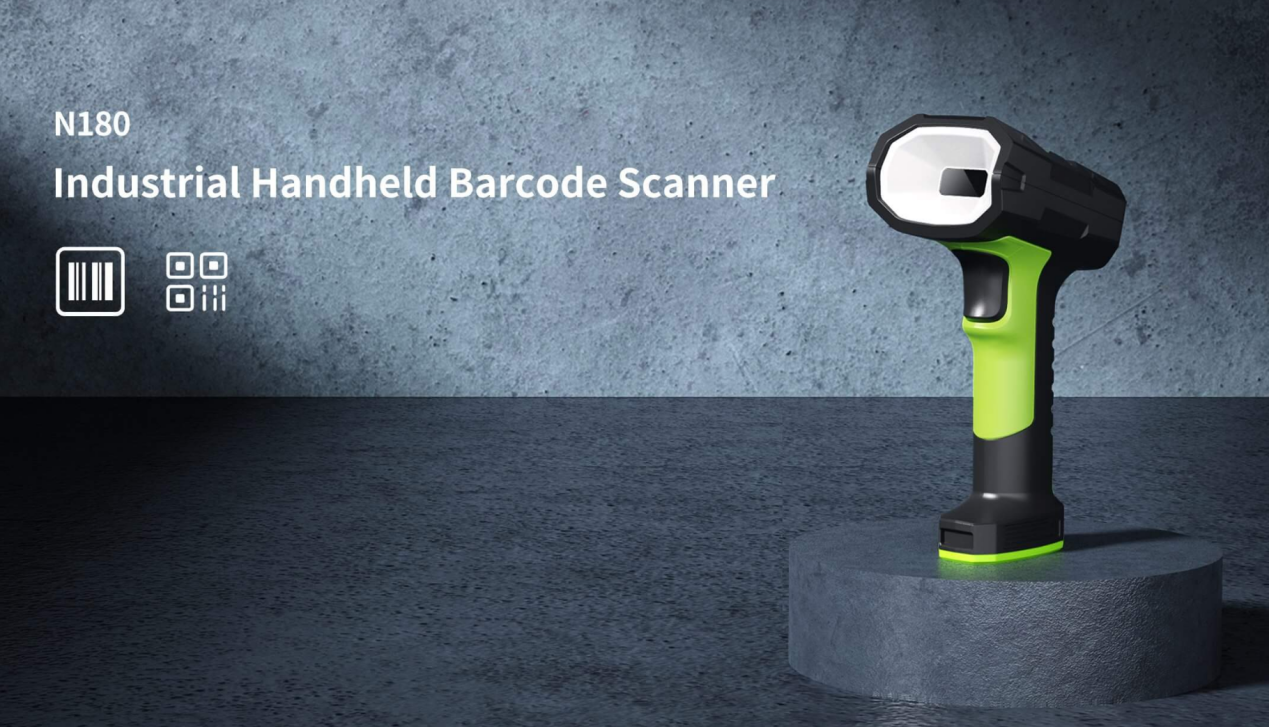
Low-contrast, laser-marked, or reflective surfaces require hardware designed for DPM conditions. The HPRT N180 industrial DPM scanner addresses these challenges.
Key features:
- ✅ An industrial DPM decoding algorithm that reads Data Matrix and other high-density codes quickly and consistently
- ✅ Flexible decoding settings, including Inverse Autodetect modes
- ✅ Three-color illumination fill light system with laser cross-focus
- ✅ 1280 × 1080 CMOS sensor for high-density, low-contrast codes
- ✅ IP65 protection and 2.4 m drop resistance
In day-to-day use, these features reduce rescans and keep operators moving — especially when marking quality varies or surfaces are curved or metallic.
For a closer look at how the N180 performs in demanding DPM environments, see HPRT N180 DPM Scanner overview.
Common Problems When Scanning Inverse Data Matrix
Problem 1: Scanner Does Not Read the Code
Possible causes: Scanner set to “Regular Only”, Inverse decoding disabled, Insufficient contrast
Solution: Enable the Data Matrix inverse or autodetect mode.
Problem 2: Intermittent Read Failures
Likely causes: Uneven laser marking depth, Reflective metal glare, Damaged surface texture
Solution: Adjust lighting angle, Increase marking contrast, Switch to DPM-optimized scanner
Problem 3: Code Passes Visually but Fails Verification
This often happens when: White modules are not bright enough, Background is inconsistent, Edge transitions are soft.
ISO/IEC 16022 grading standards evaluate symbol contrast and modulation, not just readability.
Is Inverse Data Matrix ISO Compliant?
Yes.
The polarity does not affect compliance with:
- ● ISO/IEC 16022 (symbol specification)
- ● ECC200 encoding standards
What matters is:
Module clarity, Contrast, Quiet zone integrity. An inverse data matrix barcode is structurally identical to a standard one.
Note: Printed inverse symbols are graded under ISO/IEC 15415, while DPM inverse symbols are typically evaluated under ISO/IEC 29158.
When Should You Use Inverse Data Matrix?
Use it when:
- Laser marking on dark metal
- Applying DPM in aerospace or automotive
- Printing on dark packaging
- Label design requires black background
Avoid it when:
- Using low-end retail scanners
- Surface reflectivity is uncontrolled
- Contrast cannot be verified
Best Practices for Reliable Decoding
- 1. Always enable inverse autodetect in mixed environments
- 2. Verify symbols with a barcode grading system
- 3. Control lighting angles
- 4. Use DPM scanners for laser marks
- 5. Maintain sufficient quiet zone
These steps significantly reduce production downtime.
Closing Insight
An inverse data matrix does not change the data — it changes the contrast.
In industrial marking, success depends less on the symbol itself and more on how light, surface finish, and datamatrix scanner settings work together. Most decoding issues trace back to configuration or contrast, not the code structure. Control those variables, and inverse symbols perform as reliably as standard ones.
FAQ Section
Can all scanners read inverse data matrix?
No. The scanner must support inverse or autodetect mode. Many industrial barcode scanners do, but entry-level retail scanners may not.
What is inverse autodetect?
It is a decoder setting that allows the scanner to read both regular and data matrix inverse symbols automatically.
Is inverse data matrix barcode suitable for thermal printing?
Yes, provided contrast is high and module edges are sharp. High-resolution printheads are recommended.
Why does my scanner fail to decode white-on-black codes?
Decoding failures on white-on-black codes typically result from disabled inverse mode, low reflectance contrast, excessive glare, or insufficient marking depth.
Is inverse data matrix different from negative data matrix?
No. The terms negative data matrix, reverse data matrix, and inverse data matrix refer to the same polarity concept.
Is Inverse Data Matrix the Same as an Inverted QR Code?
No. They are different symbologies. Both can be printed in reverse polarity, but inverse data matrix refers specifically to a Data Matrix symbol with inverted contrast. In industrial environments, inverse Data Matrix is more common, especially in DPM applications.
How to Read an Inverse Data Matrix
Enable inverse or autodetect mode on the scanner. The device must correctly interpret light modules on a dark background. For laser-marked or DPM symbols, use a DPM-capable industrial scanner for reliable results.
Can Smartphones Scan Inverse Data Matrix?
Yes, if contrast is sufficient. Smartphones can scan printed inverse symbols under good lighting, but they may struggle with low-contrast or laser-marked DPM codes. Industrial scanners are more reliable for production use.




