

Choosing the Best POS Printer for Food Trucks (2026): Buyer's Guide for Mobile Kitchens
In food truck operations, speed and reliability matter more than advanced features. When counter space is limited and peak hours are intense, a thermal POS printer designed for food trucks can either keep orders moving smoothly—or quietly slow everything down. The right food truck POS printer must handle heat, vibration, mobile power conditions, and high-volume rush periods without interrupting service.
This buyer's guide explains how to choose a POS printer that fits your mobile kitchen setup. It covers the key features that impact daily workflow, compares connectivity options, and recommends practical solutions based on different food truck operating stages.
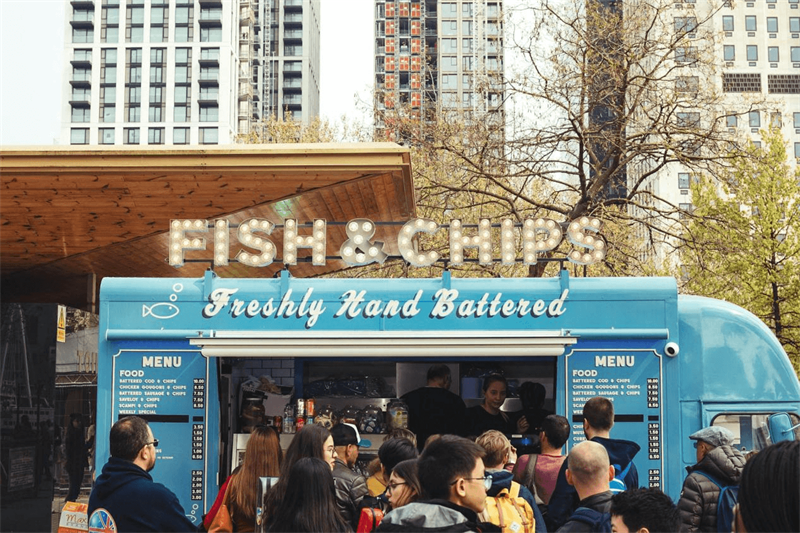
How POS Printers Maximize Efficiency During High-Volume Peak Hours
During high-volume peak hours, food truck performance depends on how smoothly orders move from the service window to the kitchen. While no single device determines overall speed, a well-configured POS printer helps prevent bottlenecks at critical handoff points.
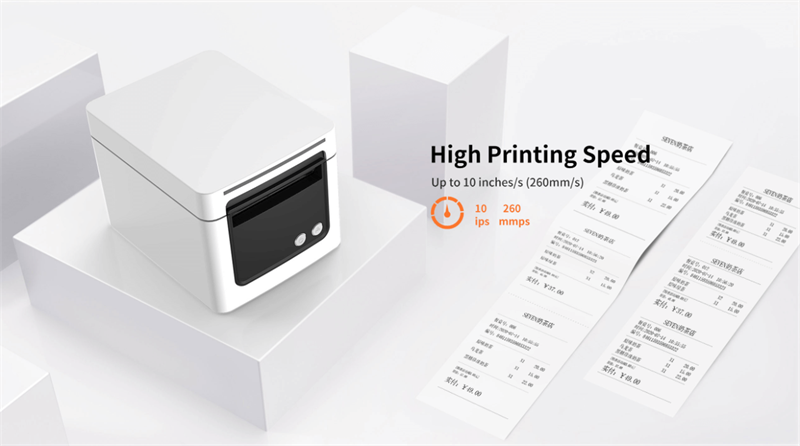
Faster Order Processing
Printed tickets create a clear physical workflow. Instead of relying solely on a tablet screen—which may dim, lag, or become difficult to see in bright outdoor conditions—staff can follow a visible queue of orders. This reduces repeated screen checks and minimizes verbal confirmation errors during rush periods.
Improved Kitchen Coordination
Food truck kitchens are compact, noisy, and fast-paced. Printed tickets provide a stable reference that remains visible even when devices are moved or network connections fluctuate. This is especially helpful when handling complex modifiers, allergy notes, or overlapping orders from walk-up and online channels.
More Reliable Front-Counter Service
At the service window, printed receipts support quick order confirmation and transaction records without slowing down the line. They also reduce disputes and help meet event, catering, or reimbursement documentation requirements.
A Practical Workflow Tool
Within a food truck POS setup, the printer acts as a workflow stabilizer rather than a standalone device. When properly selected and configured, it reduces missed tickets, minimizes order confusion, and supports smoother peak-hour execution.
Key Considerations: Choosing a Printer That Fits Your Mobile Kitchen
Which Stage Is Your Food Truck At?
POS printer requirements vary based on how a food truck operates. Order volume, menu complexity, and ordering channels determine what level of printing capability is actually needed.
Startup & Pop-Ups
- • Low order volume
- • Walk-up orders only
- • Extremely limited counter space
Printer focus: compact size, simple connectivity, basic reliability.
Daily Operations
- • Regular peak periods
- • More modifiers and custom order
- • Higher throughput expectations
Printer focus: faster print speed, durable mechanism, clear kitchen tickets.
High-Volume & Online-Driven
- • Events, festivals, or multi-platform online orders
- • Orders arriving from multiple sources
- • Minimal margin for missed tickets
Printer focus: stable networking, automated printing, alerts for new orders.
Identifying the current stage helps filter out unnecessary features and focus on what actually supports daily operations. The next section outlines the core features that matter across all food truck setups.
4 Key Considerations for Mobile Kitchen POS Printers
Food truck printers do not need every available feature, but certain characteristics are more relevant in mobile kitchen environments. The following considerations help evaluate whether a printer is well suited for daily food truck operations—or likely to introduce avoidable friction.
1. Connectivity That Matches the POS Setup
The printer should align with how the POS system is used in practice.
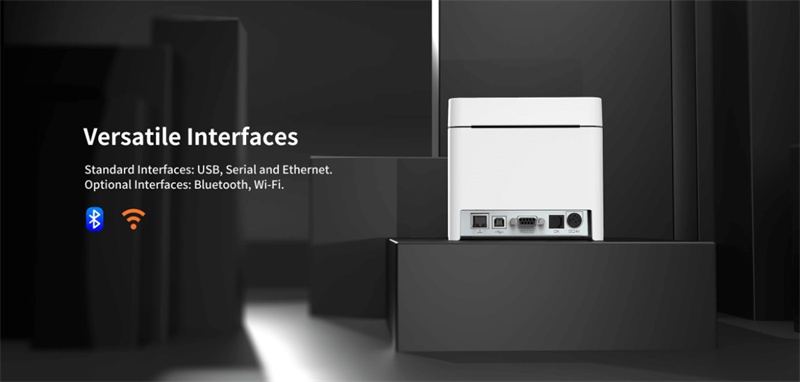
- • Bluetooth: commonly used in iPad-based setups with a single printer
- • Wi-Fi / Network: useful when supporting online ordering or multiple order sources
- • USB: suitable for fixed counter layouts where connection stability is the priority
Not every printer needs all connection types. What matters most is consistent, reliable communication within the chosen setup.
2. Durability for Mobile Food Service Conditions
Food truck environments typically involve heat, grease, vibration, and extended operating hours. Printers designed only for office settings may struggle under these conditions.
A printer suited for food truck use is generally able to:
- • Operate reliably in warm, enclosed spaces
- • Maintain performance during long service periods
- • Handle minor power fluctuations common in mobile power setups
Durability helps reduce unexpected interruptions, particularly during peak service.
3. Compact Design and Installation Flexibility
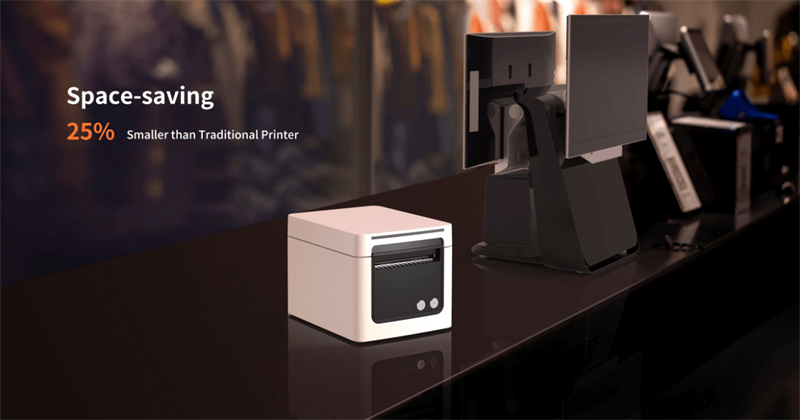
Counter space in food trucks is limited, and equipment placement affects workflow. A practical printer design often includes:
- • A compact footprint
- • Support for wall-mount or under-counter installation
- • Front or top paper loading for easier maintenance
Flexible installation options help keep work areas clear and reduce accidental interference during service.
4. Thermal Printing as a Practical Standard
Thermal printers avoid the need for ink or toner, which simplifies operation in mobile settings.
This approach typically reduces:
- • Consumable management
- • Maintenance-related downtime
- • Long-term operating costs
For many food truck operators, thermal printing is a practical baseline rather than a premium feature.
These considerations provide a flexible framework for evaluating POS printers in food truck environments. With them in mind, selecting a suitable model becomes a matter of matching printer capabilities to the scale, workflow, and operating conditions of the business.
Top HPRT POS Solutions: Choosing the Right Printer for Your Food Truck Scale
With the operating stage and requirements defined, the following recommendations focus on matching printer design to real food truck workflows.
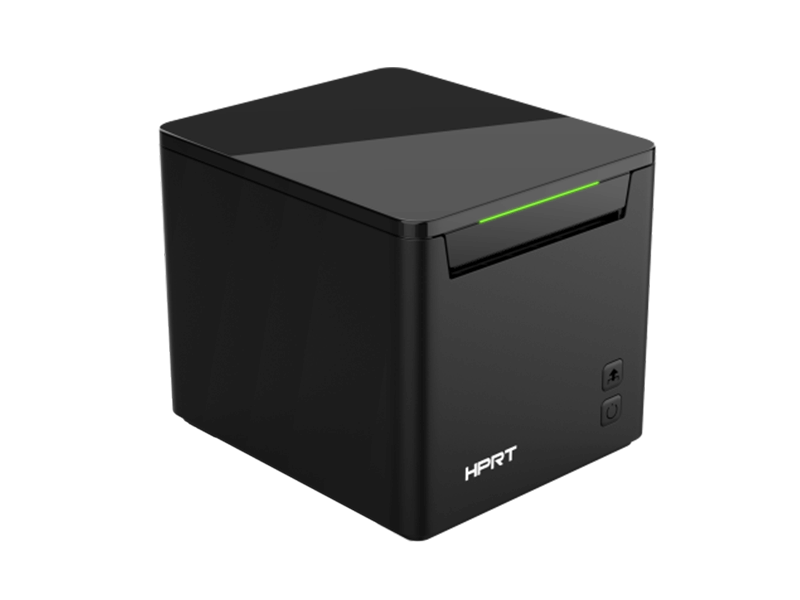
HPRT TP80NB: The Compact Choice for Startups & Pop-Up Operations
Best suited for:
- • Coffee trucks, dessert trucks, and pop-up operations
- • Walk-up ordering with a single POS terminal
- • Extremely limited counter space
Why it fits this stage:
The TP80NB is designed for compact environments where simplicity and footprint matter more than advanced networking. Its small form factor allows placement on tight counters or wall-mounted installations without disrupting workflow.
With standard ESC/POS compatibility and straightforward connectivity, it integrates easily into entry-level POS setups without additional configuration overhead.
Operational value:
- • Saves counter space
- • Reduces setup complexity
- • Covers essential receipt and ticket printing needs
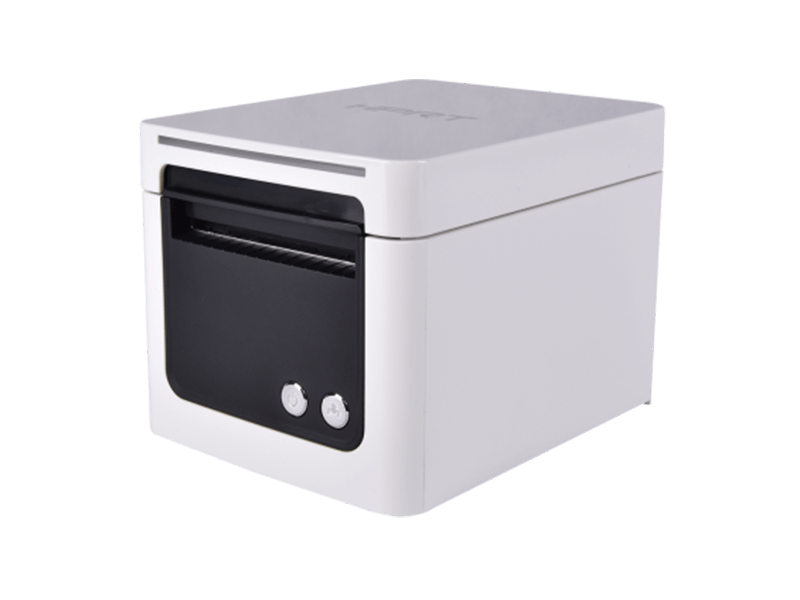
HPRT TP809: High-Speed Performance for Busy Lunch Rushes & Events
Best suited for:
- • Food trucks with concentrated lunch rushes
- • Event-based operations with sustained order volume
- • Menus with frequent modifiers and custom requests
Why it fits this stage:
The TP809 thermal receipt printer is built for speed and mechanical endurance. Higher print speeds and a long-life cutter support continuous ticket output during peak service without slowing the queue.
In high-throughput environments, print latency and cutter reliability directly affect order flow. This model is engineered to handle sustained demand while maintaining consistent performance across long service windows.
Operational value:
- • Faster ticket output during peak periods
- • Reduced risk of missed or delayed orders
- • Better stability under continuous load
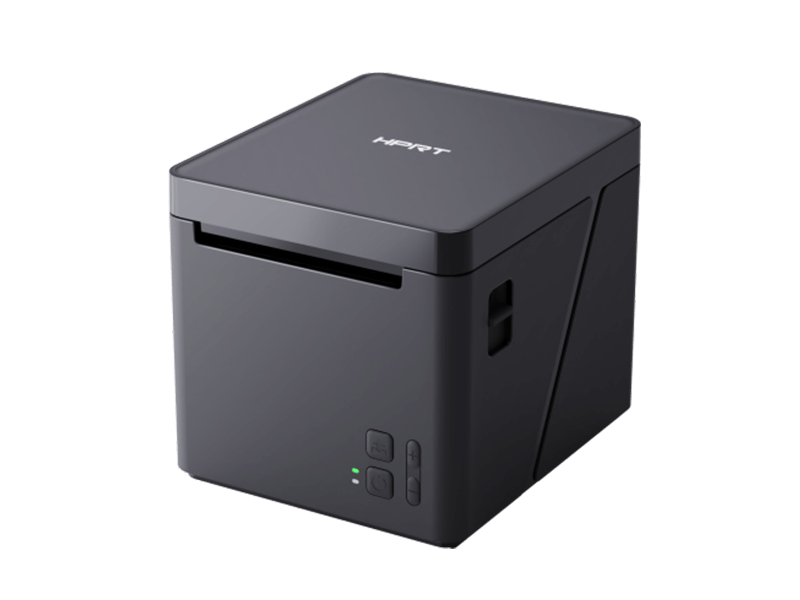
HPRT TP80NY Series: Intelligent Cloud Printing for Multi-Channel Food Trucks
Best suited for:
- • Trucks using online ordering or third-party platforms
- • Operations receiving orders from multiple sources
- • Setups where the POS tablet is not always at the counter
Why it fits this stage:
The TP80NY thermal cloud receipt printer series is designed for network-based and cloud-connected workflows. Support for Wi-Fi, optional cellular connectivity, and cloud printing enables automatic ticket output as soon as orders are placed—without relying on a local device connection.
This approach reduces the risk of missed orders in busy or distributed setups and supports more automated service models.
Operational value:
- • Automatic printing for online orders
- • Reduced dependency on local POS devices
- • Better consistency across multiple order channels
At a Glance: Comparison of HPRT Food Truck Solutions
| Feature | HPRT TP80NB | HPRT TP809 | HPRT TP80NY Series |
|---|---|---|---|
| Best For | Small trucks & pop-ups | Busy lunch spots & events | Online & cloud-driven trucks |
| Print Speed | 200 mm/s | Up to 260 mm/s | 200 mm/s |
| Connectivity | USB / Bluetooth / Wi-Fi (optional) | USB / Ethernet / Bluetooth / Wi-Fi (optional) | Wi-Fi / USB / 4G / Cloud printing |
| Paper Width | 80 mm | 58 mm / 80 mm | 80 mm |
| Key Advantage | Compact, space-saving | High speed & durability | Cloud & multi-channel orders |
| Typical Use Case | Entry-level POS setups | High-volume peak service | Online orders without POS tablet |
How to Read This Table (Optional 1-Line Caption)
- • Choose TP80NB if space and simplicity matter most
- • Choose TP809 if speed and peak-hour reliability are critical
- • Choose TP80NY if online orders and cloud printing are part of daily operations
Simple Maintenance to Prevent Downtime
Unexpected downtime during service hours creates avoidable operational risk.Following these proactive steps will ensure your HPRT hardware remains a reliable backbone of your service.
-
•
Clean the thermal print head periodically with a 75% isopropyl alcohol swab to maintain print clarity.
-
•
Use quality thermal printer paper to reduce residue buildup and sensor issues.
-
•
Check power and cables regularly, especially when using generators or mobile power sources.
Ready to Optimize Your Food Truck Workflow?
Choosing a POS printer is less about specifications and more about matching the setup to how a food truck actually operates.
For operators, HPRT provides technical resources and support to assist with selection and deployment.
- ✓ Check POS compatibility with HPRT printers
- ✓ Request technical guidance for specific food truck workflows
- ✓ Inquire about bulk or multi-unit solutions for growing operation
A well-matched POS printer setup supports faster service, fewer order errors, and more consistent daily operations.
Frequently Asked Questions
Q: Is Bluetooth or Wi-Fi better for food truck POS printers?
Bluetooth works well for simple iPad-based setups with a single printer. Wi-Fi is more suitable for online ordering or multiple order sources.
Q: Do food trucks need a dedicated kitchen printer?
For low-volume operations, one printer may be sufficient. As order volume or menu complexity increases, separating front-counter receipts and kitchen tickets helps reduce confusion.
Q: What is MFi, and why does it matter for iPad POS systems?
MFi certification indicates stable compatibility with iOS devices, reducing the risk of connection issues after system updates.
Q: Should a food truck use 58mm or 80mm paper?
58mm paper saves space and suits simple menus. 80mm paper provides better readability for complex orders with modifiers or allergy notes.
Q: How often should a thermal print head be cleaned?
Clean the print head periodically, especially after multiple paper roll changes or when print quality declines.




