

Ever sold something on Vinted and thought: “Great… but how do I actually get and print the shipping label?” You’re not alone.
For many new sellers, especially those doing reselling or clearing out wardrobes, the moment you get your first order is exciting—but printing shipping label correctly (especially in 4×6 format) is where many sellers get stuck.
This guide will walk you through:
- ● What Vinted actually is
- ● How shipping labels are generated
- ● How to download and print them correctly
- ● And how to turn messy A4 PDFs into clean 4×6 thermal labels for faster shipping
What Is Vinted?
Founded in 2008 in Lithuania by Milda Mitkutė and Justas Janauskas, Vinted started as a small platform for swapping second-hand clothes.
Today, it has grown into one of Europe’s largest second-hand marketplaces, especially popular in:
- ● UK
- ● France
- ● Germany
- ● Spain
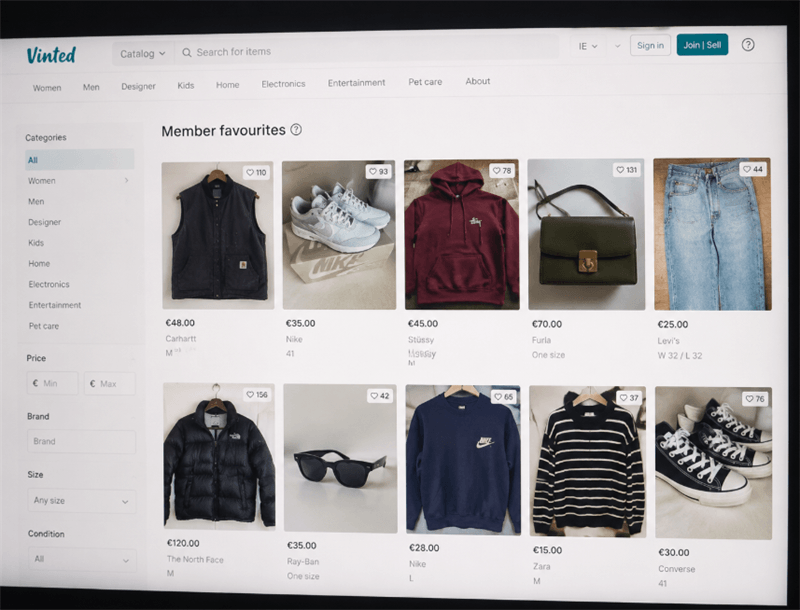
Unlike traditional eCommerce platforms, Vinted focuses almost entirely on pre-loved fashion and lifestyle items, making it a hybrid between eBay and a fashion thrift community.
What Can You Sell on Vinted?
Vinted is mainly fashion-focused, but sellers commonly list:
- ● Clothing (men, women, kids)
- ● Shoes and sneakers
- ● Bags and backpacks
- ● Beauty items (sealed only)
- ● Small home goods (books, décor)
Real seller example:
Many UK resellers use Vinted as a “side hustle platform,” listing weekend thrift finds and earning small but consistent income without platform fees.
Do Sellers Pay Fees on Vinted?
One of Vinted’s biggest advantages is simple:
Sellers pay zero listing fees and zero selling commission.
You upload your item for free, set your price, and when it sells, the buyer covers both the shipping cost and a small service fee for buyer protection.
This business model is what makes Vinted different from most eCommerce platforms that charge sellers per transaction. Instead, Vinted monetizes through buyers rather than sellers, which lowers the entry barrier for anyone starting to sell.
That’s why Vinted is especially attractive for:
- ● Casual sellers who just want to declutter their wardrobe
- ● Students looking for extra income with no upfront cost
- ● Small resellers scaling side income through second-hand fashion
How Does Vinted Work? (Step-by-Step Seller Flow)
Here's the seller journey in a nutshell:
Sign up with your email or through social media, then set up your profile and payment details.
List your item
Take photos, write a short description, set your price.
Wait for a buyer
Once someone purchases, payment is held safely by Vinted.
Get your shipping label
Vinted generates it automatically, usually in A4 PDF format.
Print and ship
Attach the label, drop the parcel off at the chosen carrier.
Receive your payout
Funds are released once the buyer confirms delivery or after a set period.
If you're into Vinted reselling (buying cheap, flipping for profit), or just selling clothes you no longer wear, having a smooth label-printing process is key to keeping things quick and professional.
How to Get Shipping Labels on Vinted
Once you make a sale, Vinted automatically generates your label. You can download it in two ways:
Option 1: Vinted App
- ● Go to your sales/orders
- ● Open the order
- ● Tap “Download shipping label”
Option 2: Email
Vinted sends a PDF label directly to your inbox, so you can open it on your phone or computer.
Create a folder called “Vinted Labels” so you don’t lose files when orders increase.
How to Print Vinted Shipping Labels the Easy Way
Here's the thing though—on Vinted UK or elsewhere, most shipping labels are generated in A4 PDF format, not the neat 4x6 size that platforms like eBay or Shopify use. It's a bit frustrating, but with a few tweaks you can still print them easily using a thermal label printer.
Follow the steps below, and you’ll be one step closer to smoother sales and happier buyers.
Step 1: Open the PDF label and Check how the label is positioned
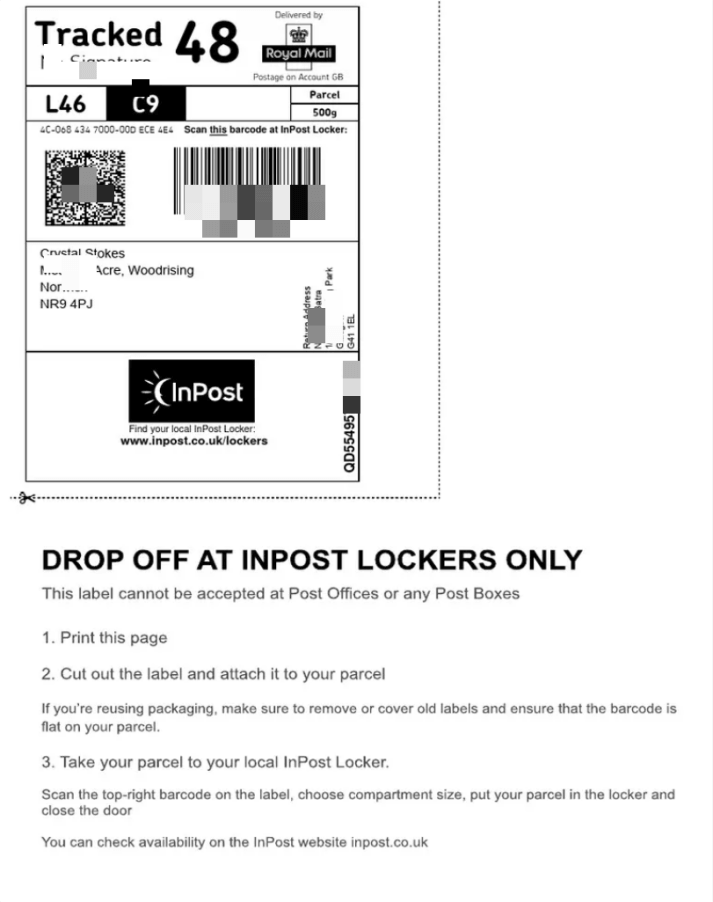
Open a Vinted shipping label and understand how the label is laid out on the A4 page.
This can vary depending on the carrier:
- ● Evri labels are usually placed toward the top-left area
- ● InPost labels often appear centered with a clear QR code
Step 2: Crop the label area (important but often skipped)
Since Vinted uses A4 PDF format, you may need to remove unnecessary white space before printing.
You can use tools such as:
- ● Adobe Acrobat
- ● Mac Preview
- ● Or any basic PDF editing tool
The goal is simple: keep only the essential parts of the label, including the barcode, address information, and tracking details.
Step 3: Set print format to 4×6 (100×150mm)
Now comes the key step for thermal printer users. Set your print configuration to:
- ● Paper size: 4×6 inch (100×150mm)
- ● Scaling: Fit or Fill (depending on your printer setup)
- ● Orientation: Auto
- ● Margins: None if your device supports it
This step converts the A4 layout into a format that works properly with thermal shipping labels.
Step 4: Print on thermal label printer
Now the label prints cleanly onto adhesive sticker paper.
No ink. No cutting. No tape.
This is where most sellers notice a real improvement in workflow.
The real challenge isn’t printing itself, but adapting Vinted’s A4 PDF labels into a 4×6 thermal printing format.
Small Seller Insight (Real-World Scenario)
“I sold 10 items in one weekend, but spent more time cutting A4 labels than packing parcels.”
This is exactly where thermal printing changes the workflow:
- ● Batch printing becomes possible
- ● Labels stay consistent size
- ● Packing speed increases significantly
What If You Don’t Have a Printer for Vinted?
If you don’t have a printer, you can still ship Vinted orders depending on the carrier. Some support QR code or digital labels, allowing you to show the code at a parcel shop, locker, or post office where they print it for you.
However, not all shipping methods support this, and some still require a printed label before drop-off.
If you need alternatives, you can print labels at:
- ● Post offices or parcel shops
- ● Print/copy stores (e.g., stationery shops)
- ● Friends, family, or workplace printers
? Most regular sellers eventually switch to home printing because it is faster and more efficient for daily order handling.
Troubleshooting: Missing or Unprintable Vinted Shipping Labels
If your Vinted shipping label is missing or cannot be printed, the issue is usually related to order status, file loading, or device settings rather than the platform itself.
1. Missing shipping label
This usually happens when the order is not fully processed or the payment has not been completed. In most cases, the label appears shortly after confirmation.
2. Cannot download or open label
Try switching browsers or reopening the label from the Vinted app, as PDF display issues are often device-related.
3. Incorrect or broken format
This is usually caused by incomplete downloads or incorrect PDF rendering settings.
4. Printer cannot print correctly
Most printing issues come from incorrect scaling or mismatched formats between A4 PDF files and 4×6 thermal printers.
To fix most issues, re-download the label and ensure print settings match the correct format (A4 or 4×6).
Recommended Label Printer for Vinted Sellers
If you only print occasionally, A4 printing can still work. However, for frequent sellers or resellers, a 4x6 shipping label printer is a much more efficient and scalable solution for handling batch shipping workflows across platforms like Vinted, eBay, Shopify, and Etsy.
Desktop Solution: Hanin SL42 USB Shipping Label Printer
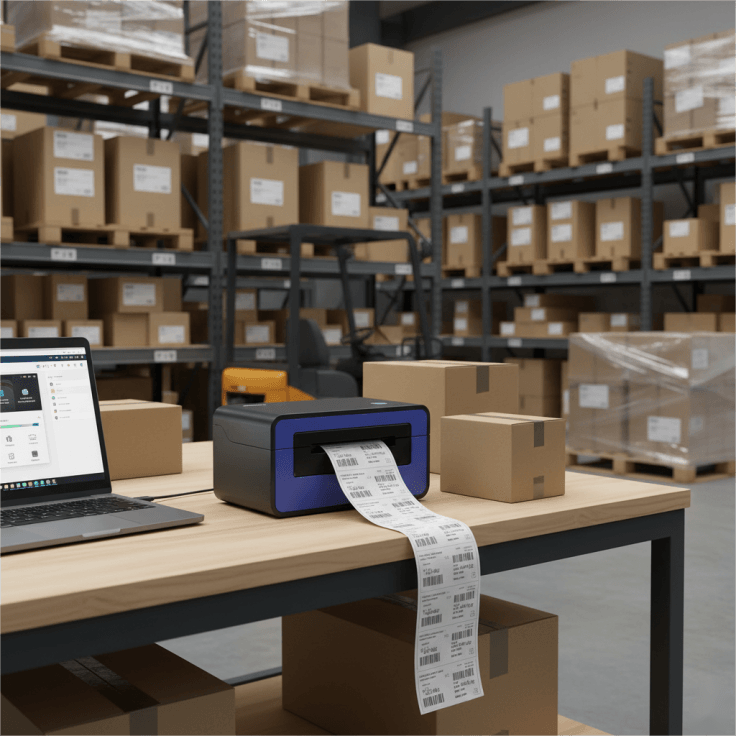
The Hanin SL42 series is an affordable shipping label printer that works seamlessly with popular e-commerce platforms like eBay, Shopify, Etsy, and Vinted. It connects via USB to a PC or Mac, and quickly prints shipping labels and address labels in batches, making it a reliable plug-and-play solution for organized fulfillment workflows.
? Best for desktop-based sellers, warehouse shipping, and high-volume batch fulfillment requiring consistent 4×6 label output.
It delivers:
- · High-speed printing up to 150 mm/s, enabling fast batch label processing
- · Direct thermal printing technology, no ink or toner required, reducing long-term operating and maintenance costs
- · Wide media compatibility (2"–4.65"), supporting 4×6 shipping labels as well as smaller product labels, QR codes, and packaging stickers
- · Automatic label detection system, including gap, black-mark, and cover-open sensors, ensuring accurate alignment and reducing misprints and label waste
- · Durable print-head and roller structure, designed for stable long-term operation under high-volume workloads
Mobile Option: SL42BT Bluetooth Shipping Label Printer
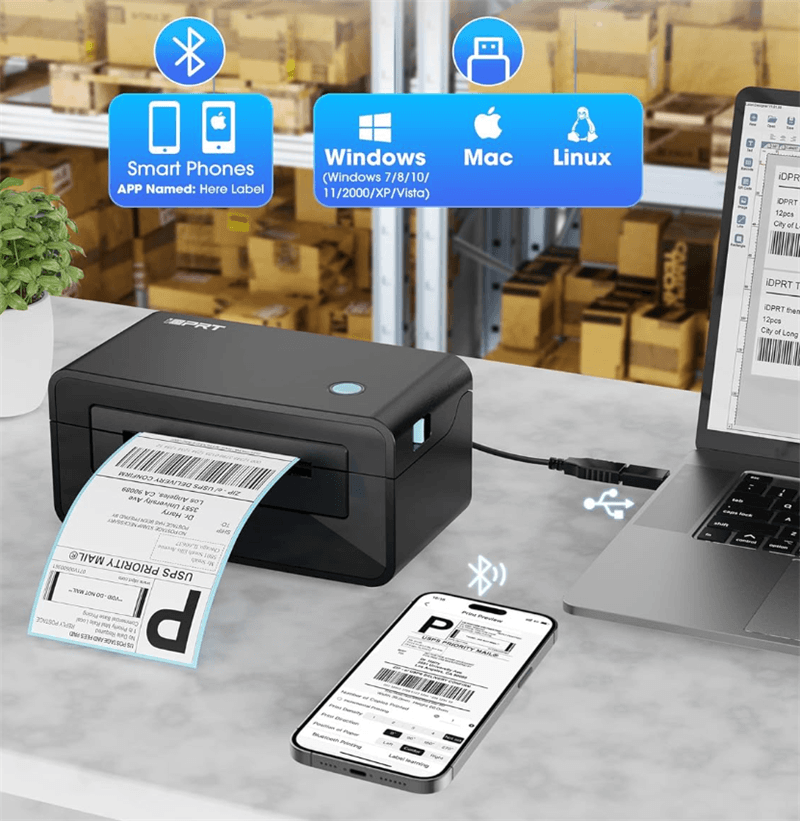
The SL42BT Bluetooth label printer is ideal for mobile eCommerce sellers and home-based businesses who need flexible, computer-free shipping label printing. With Bluetooth connectivity, it enables direct printing from iPhone, iPad, and Android devices, making it suitable for sellers managing orders on mobile without a desktop setup.
? Best for mobile-first sellers, small resellers, and home-based businesses requiring flexible on-the-go label printing.
Using the companion app, you can:
- · Quickly crop PDF shipping labels
- · Adjust label layouts for different formats
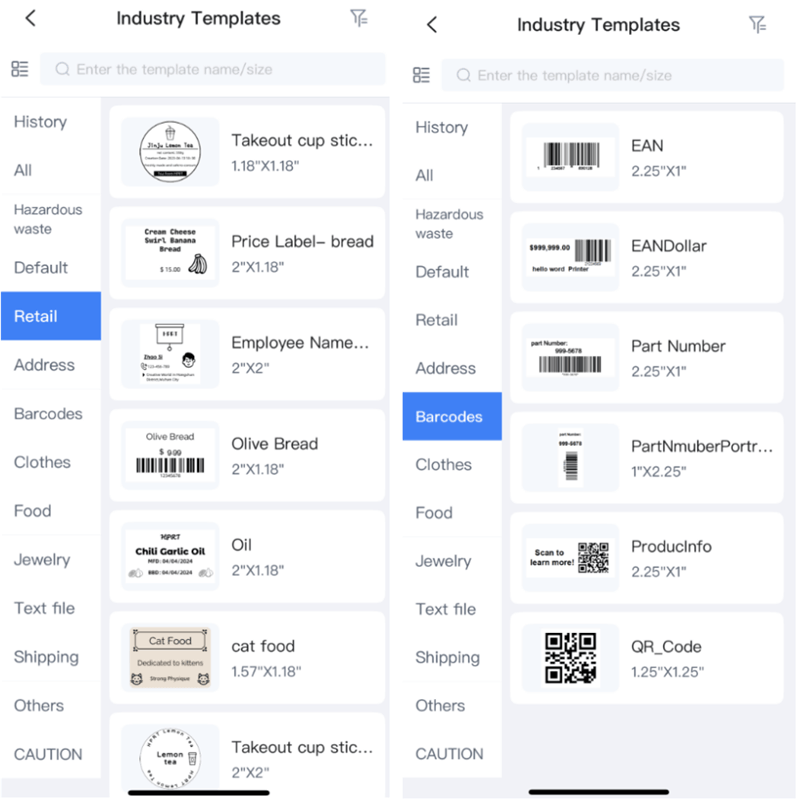
- · Create custom stickers using free templates, including parcel labels, product tags, and simple organizer labels
Final Thoughts
Vinted makes selling simple—but shipping labels are where efficiency is decided.
Once you understand:
- ● How labels are generated
- ● How to convert A4 to 4×6
- ● And when to use a thermal printer
…the entire fulfillment process becomes significantly faster and more scalable. For casual sellers, A4 printing is enough. For active resellers, a thermal label printer turns shipping into a smooth workflow instead of a bottleneck.
FAQ
1. Why does Vinted use A4 shipping labels instead of 4×6?
Vinted uses A4 PDF labels because they are generated through carrier systems such as Evri, Royal Mail, and InPost, which default to document-style formats rather than thermal label sizes.
2. Can I print Vinted labels directly on a thermal printer?
Yes. You only need to crop the PDF if necessary and set the print size to 4×6 (100×150mm). Most thermal printers support this format natively.
3. What is the easiest way to print Vinted shipping labels?
The easiest method is: Download the PDF, Set print size to 4×6, Use a thermal label printer for direct printing without cutting.
4. Do I need to cut A4 labels manually?
Only if you use a standard A4 printer. Thermal printers eliminate cutting completely.
5. What is the best printer for Vinted sellers?
Thermal label printers such as the HPRT SL42 or SL42BT are commonly used because they support 4×6 labels, enable faster batch printing, and reduce manual handling errors.