

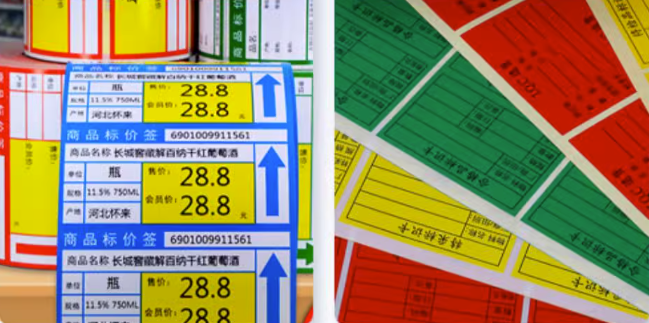
Thermal label printers are fast, reliable, and low-cost—especially direct thermal models that print without ink. But when it comes to color, many users ask the same question: can a thermal printer print in color, and if so, how?
Below, we’ll answer these questions and show two practical ways to print color using a thermal label printer for GHS labels, retail tags, product branding, and more—without switching to a costly inkjet printer.
Are There Any Thermal Printers That Print Color?
The short answer is: Generally, no. Standard direct thermal and thermal transfer printers support monochrome (single-color) printing, typically black. They do not use CMYK ink cartridges like inkjet or laser printers, so they cannot print full-color photos or gradients on demand.
However, specific technologies and media can achieve limited color effects. For instance, some thermal receipt printers support two-color printing (typically red and black) when paired with specialized thermal paper.
Notably, Hanin—one of China’s leading label printer manufacturer—has developed an innovative color label maker ZP100 utilizing ZINK (Zero Ink) technology. This breakthrough allows for full-color printing without the need for traditional ink cartridges or thermal ribbons.
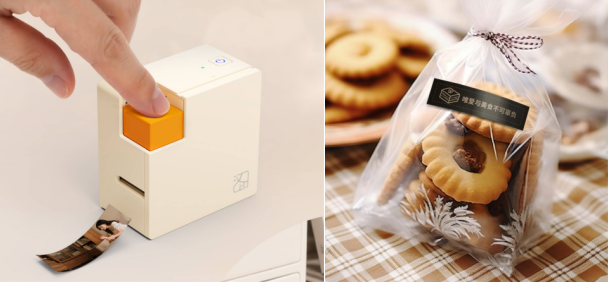
In industries like retail, food, cosmetics, and chemical manufacturing, color is vital for branding, product identification, and safety labeling. While most thermal printers are monochrome, you can still achieve color effects using the methods below.
How to Print in Color with Thermal Label Printers
Method 1 — Variable Printing on Pre-Printed Color Labels
In industries like chemical manufacturing, logistics, and industrial packaging, color is required for compliance—especially on GHS labels, hazardous-waste labels, and warning tags.
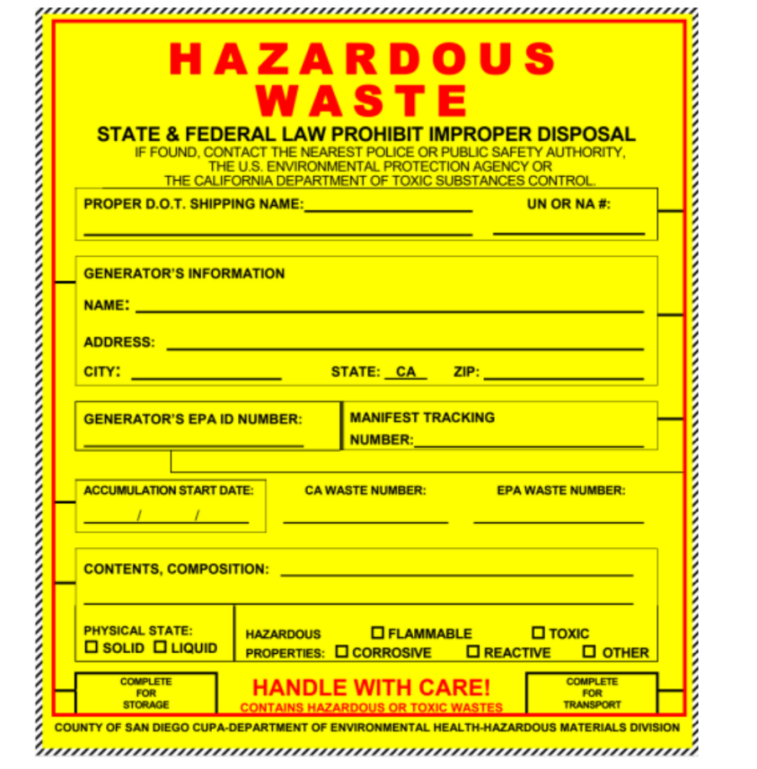
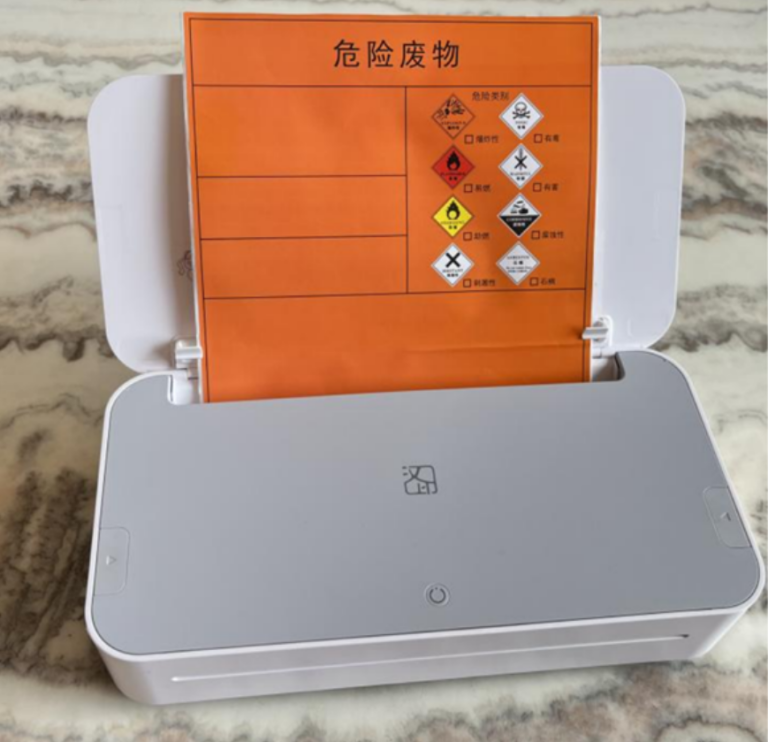
These labels usually contain fixed colored elements, while the product-specific data changes on every print. For example, with hazardous waste labels, the production date, waste composition, and manifest tracking number vary from label to label, whereas the warning symbols and other color elements stay the same.
Instead of using costly color inkjet printers, a far more efficient approach is variable data printing on pre-printed color labels.
The thermal label printer only prints the changing information—dates, batch numbers, tracking IDs, barcodes—while the colored background and branding elements remain intact.
Why Businesses Use This Method
- ✅ Lower cost: No ink or color cartridges required.
- ✅ Faster printing: Thermal printers outperform inkjet in speed.
- ✅ Ideal for tracking: Perfect for high-accuracy variable data such as barcodes, serial numbers, and ID information.
- ✅ Durable output: Thermal transfer printing resists smudging, chemicals, and harsh environments.
How to Print Variable Data on Pre-Printed Color Labels
- ●
Purchasing custom pre-printed color labels:
Order pre-printed labels rolls or fan-fold stack, that already feature fixed color content (such as logos or GHS borders) and comply with regulatory requirements. - ●
Load the labels and set up your printer:
Install the pre-printed labels in your thermal printer and confirm the print settings are correct. If you’re using a thermal transfer printer, make sure to load the ribbon as well. - ●
Prepare your variable data in Excel:
Organize the fields that change—dates, batch numbers, compositions, barcodes, serial numbers—inside an Excel spreadsheet. - ●
Create your label template in design software:
Build your layout in label design software (such as HereLabel) and align it with the blank areas of your pre-printed label rolls. - ●
Import and print:
Import your Excel sheet into the software, let the variable fields auto-fill, and start printing.
Pro Tip:
For a detailed tutorial, check out our guide on How to Print Labels from Excel.
Common Applications:
- ● Retailers printing bulk color product price tags.
- ● Restaurants creating color food preparation labels for compliance and safety.
- ● Factories and businesses printing equipment ID labels and asset tracking labels for efficient inventory management.
Method 2 — Printing with Thermal Transfer Color Ribbons
Some food and personal care brands prefer a clean, minimalist packaging style—often printing single-color text or graphics on transparent or semi-transparent product and ingredient labels. This can be done easily with a thermal transfer printer and colored ribbons.
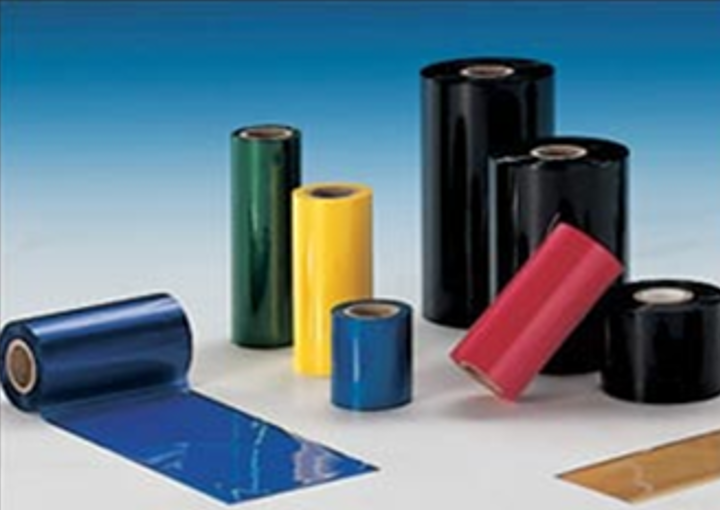
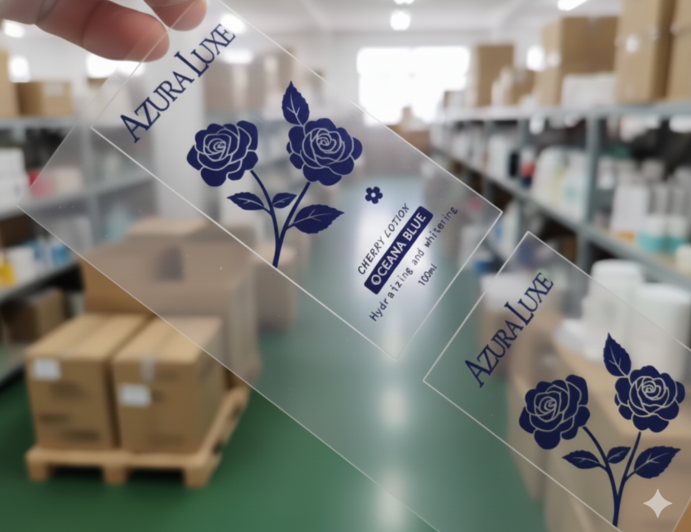
A prime example is found in the food and daily chemical industries, where manufacturers increasingly rely on industrial label printers—such as the Hanin Bravo Series—to generate clear, one-color product labels in bulk.
These factories often choose transparent PET or PVC label rolls and load their industrial printers with colored thermal transfer ribbons—red, green, blue, or gold—to print the required color elements. This method is reliable, cost-effective, and works well for simple branding or functional color markings.
Ideal Applications & Industries
- ● Daily Chemical, Cosmetics & Personal Care: Single-color branding, ingredient lists, batch numbers, and date codes printed on PET/PVC labels for bottles, jars, and tubes.
- ● Food & Beverage: Color text or icons on pre-packaged and food labels for sauces, beverages, condiments, and chilled products, like ingredient and nutrition labels.
- ● General Signage & Marking: One-color warning labels, small signs, shelf tags, and equipment identification labels.
So, can thermal printers print in color? Not in full CMYK color—but with the right methods, they can produce practical color effects.
By applying the two strategies above, businesses can produce clear, color-enhanced labels that improve branding, support safety compliance, and keep printing costs low.
FAQ: Color Printing with Thermal Label Printers
Q1: Can a thermal label printer print in red or blue?
Direct thermal printers are mostly black-only, but some can print black + red using special paper. Thermal transfer printers can print single colors like red or blue by using colored ribbons.
Q2: Can thermal printers print on transparent labels?
Yes—thermal transfer printers can print on clear PET or PVC labels. Direct thermal printers generally cannot.
Q3: Is thermal printing waterproof?
Direct thermal prints are not fully waterproof. Thermal transfer prints can be water- and chemical-resistant when used with the right ribbon and synthetic labels.
Q4: Can thermal printers print GHS labels?
Yes. Most companies use pre-printed GHS labels and add the variable data (text, dates, barcodes) with a thermal transfer printer.




