

How to Print Mini Photos: Methods, Sizes, Layouts and Practical Tips
Trying to print mini photos but ending up with wasted paper, wrong sizes, or messy cutting? You’re not alone. Most people struggle to print small photos from their phone because standard printers aren’t designed for mini formats.
The good news is you don’t have to deal with complicated layouts or manual cutting anymore. There are much easier ways to print mini photos—whether you want a quick DIY setup or a photo printer that does everything for you.
In this guide, you’ll learn how to print mini photos step by step, choose the right photo sizes, compare the easiest methods, and get clean, perfectly sized prints without extra work.
Quick Answer: How to Print Mini Photos
The easiest way to print mini photos depends on your needs:
- • Use DIY collage printing if you want the lowest cost
- • Use a print service for convenience
- • Use a mini photo printer for the fastest and most flexible results
For most users, the easiest way to print mini photos from a phone is to use a mini photo printer, because it eliminates cutting, layout setup, and wasted paper.
What Are Mini Photos? Sizes and Real-Life Uses
Mini photos are simply small-sized prints designed for creative use—like scrapbooks, journals, or wallets. These prints offer a compact way to showcase personal memories without taking up too much space.
Wallet Size
Typically 2 x 3 to 2.5 x 3.5 inches. A common format for scrapbooks, photo albums, and keepsake prints. Small enough to fit multiple on a page, while showing faces clearly.
Mini Square
Usually 2 x 2 or 3 x 3 inches. A popular choice for journaling and aesthetic layouts. Works especially well for grid-style pages and Polaroid-inspired designs.
Polaroid-Style
Typically measure around 3.5x4.25 inches but can vary slightly. They usually include a white border for a vintage effect.
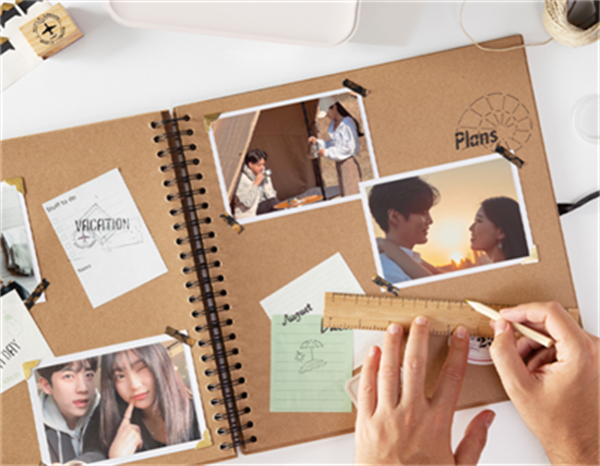
These formats are widely used in scrapbooking, bullet journaling, travel diaries, and DIY photo walls.
Why Do People Print Mini Photos?
Mini photos are popular because they make digital memories easier to use in everyday life—not just store on your phone.
- 1 For creative projects – scrapbooks, journals, and DIY layouts
- 2 For everyday use – easy to carry, share, or decorate small spaces
- 3 For efficient printing – print multiple photos on one sheet to save paper
Common Pain Points of Printing Mini Photos
Printing mini photos sounds simple, but in practice, most users run into a few issues:
- 1. Waste of Paper: Printing larger photos and cutting them down to size often leads to wasted photo paper, especially if you're only using a portion of it.
- 2. Cutting Complexity: Accurately cutting photos into mini sizes can be time-consuming and difficult, leading to uneven edges.
- 3. Expensive Services: Professional printing services, like those offered at Walgreens or Printique, can be costly for those needing small quantities of prints.
Solutions: How to Print Mini Photos
1. DIY Photo Printing (Most Flexible & Budget-Friendly)
DIY printing at home is usually the first method people try because it’s affordable and gives you full control over layout and size.
Step 1: Create a Photo Layout (Most Important Step)
Instead of printing one photo at a time, arrange multiple images on a single 4×6 canvas. This saves paper and ensures consistent sizing.
You can use tools like Canva or PicCollage to quickly create layouts.
2 × 3 inch photos (wallet size)
→ 4 photos per 4×6 sheet
→ Easy to cut with minimal waste
2 × 2 inch square photos
→ 6 to 9 photos per sheet
→ Ideal for journaling and scrapbook layouts
Polaroid-style mini prints
→ 2 to 4 per sheet
→ Leave extra white space for borders
Tip: Use grid templates to keep spacing even and avoid alignment issues.
Step 2: Print with the Right Settings
To get sharp and correctly sized mini photos:
- ●Use photo paper (glossy or matte)
- ●Set resolution to 300 DPI
- ●Disable “Fit to Page”
- ●Choose high-quality print mode
Step 3: Cut and Finish
- ●Cut using scissors or a paper cutter
- ●For better results, use tools like Cricut for rounded corners
- ●Optional: batch edit photos in Photoshop or GIMP before printing
2. Professional Printing Services (Fast but Less Flexible)
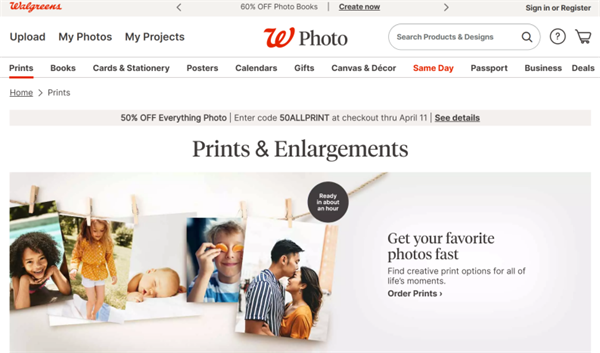
For those who prefer a hassle-free experience, professional printing services offer a fast and convenient way to get your mini photos printed without worrying about paper waste or cutting.
Walgreens
Pros: Fast, affordable, and easy-to-use online ordering system.
Cons: Sizes, layouts, and pricing may vary by location. Customization options are relatively limited.
Printique
Pros: High-quality prints with the option for rounded corners, offering a more polished look for projects.
Cons: oHigher prices per print, especially if ordering in small quantities.
Inkifi
Pros: Subscription-based service for mini square prints, ideal for journaling enthusiasts.
Cons: Costs can accumulate for frequent users, and shipping times may vary.
3. Upgrade to a Portable Photo Printer (Most Convenient)
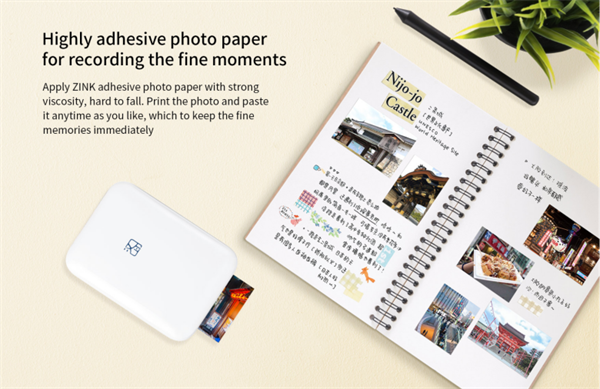
Most people start with DIY because it’s cheaper. But over time, many switch to portable photo printers—not to save money, but to save time and simplify the process.
A 2×3 pocket photo printer or a portable dye-sub printer removes most of the friction:
- ✔ Instant printing from your phone, making the whole process fast and effortless
- ✔ No cutting required — dedicated 2×3 photo paper gives you perfectly sized prints every time
- ✔ Consistent size and alignment, avoiding layout errors and repeated test prints
- ✔ More creative control via the app — easily create collages, adjust layouts, or even print ID photos
Best Portable Photo Printers for DIY Lovers
Hanin is known for its compact and easy-to-use portable photo printers, powered by ZINK® and dye-sublimation technologies. Its best-selling models are widely appreciated for their print quality, portability, and simple user experience.
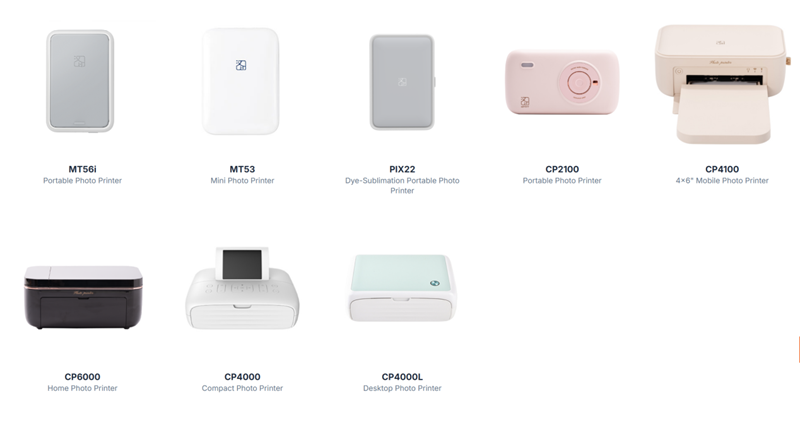
All models work seamlessly with the HeyPhoto app, allowing you to create collages, add frames, text, and filters directly from your phone—so you can turn your photos into something more creative instantly
MT56i Mini Portable Photo Printer
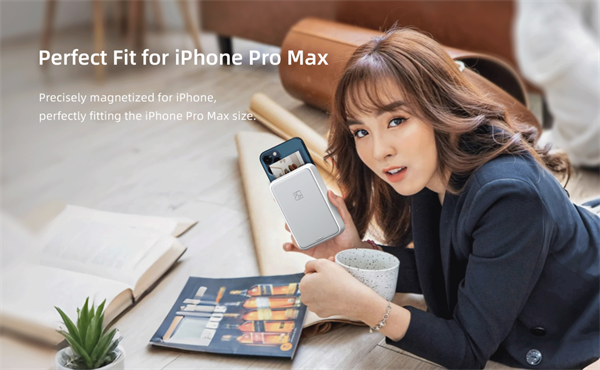
Print Method: ZINK® Zero-Ink
Resolution: 300 DPI
Print Size: 2 × 3 inches
Battery: 550 mAh
Connection: Bluetooth
Weight: 200g
Why It Stands Out:
- ●Instant wireless printing from your mobile phone, with stable performance via MFi-certified chip for iPhone.
- ●High-quality 300 dpi color printing with no need for ink, using thermal technology.
- ●Magnetic attachment to your iPhone Pro Max for convenience.
- ●Supports sticker-backed photo paper for easy journaling or scrapbooking.
Ideal For: iPhone users, content creators, and anyone looking for a fun, portable 2×3 photo printer for travel, parties, and everyday photo sharing.
CP2100 Portable Dye-Sublimation Photo Printer
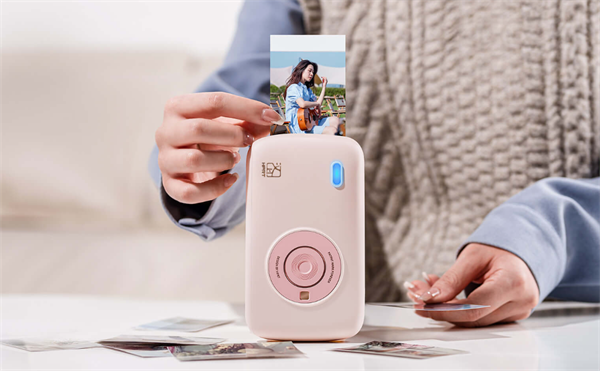
Print Method: Thermal Dye Sublimation
Resolution: 300 DPI
Print Size: 2 × 3 inches
Battery: 800 mAh
Connection: Bluetooth
Weight: 280g
Why It Stands Out:
- ●High-resolution photos with smooth color transitions.
- ●Automatic lamination technology to make prints waterproof and fingerprint-resistant.
- ●Multiple collage templates available via the HeyPhoto app, including options for ID photos and AR printing.
Ideal For: Users who prioritize high-quality prints for creative projects, events, or long-lasting photo keepsakes.
CP4100 Portable Photo Printer
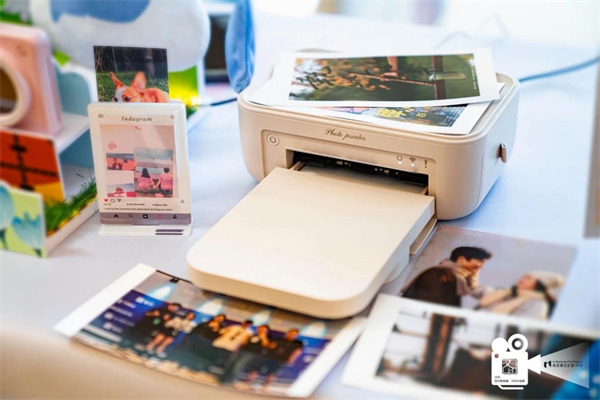
Print Method: Thermal Dye Sublimation
Resolution: 300 DPI
Print Size: 4 × 6 inches
Connection: Bluetooth / WiFi
Why It Stands Out:
- ●High-quality 4×6 photo printing with smooth color gradients and true-to-life details
- ●Built-in lamination layer makes photos water-resistant, scratch-resistant, and long-lasting
- ●Flexible collage printing via the HeyPhoto app: create layouts like 2×2, 2×1, or combine multiple photos on one sheet
- ●Supports custom layouts and shapes, including round and creative designs
- ●Multiple filters, editing options, and AR photo features for enhanced creativity
Ideal For: Users who want higher-quality prints and more layout flexibility. Ideal for scrapbooking, journaling, photo walls, or printing multiple mini photos from a single 4×6 sheet without complex editing.
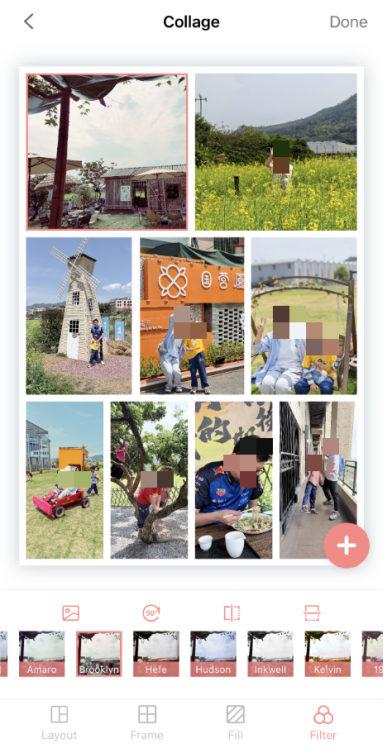
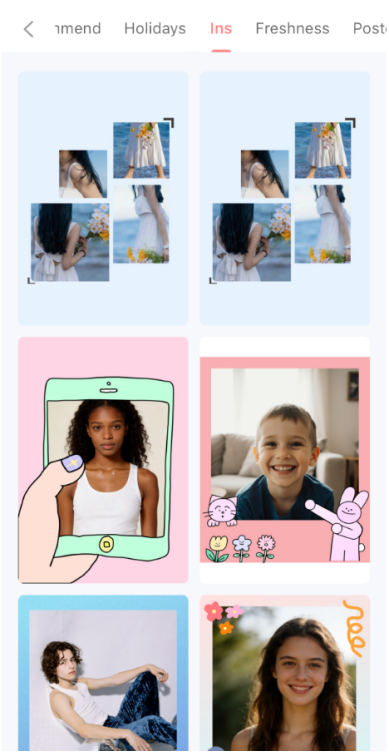
While the cost may be higher upfront, the convenience and creative possibilities make a portable photo printer a great choice for those who want easy, on-the-go photo printing.
Creative Ideas for Mini Photos
Once your mini photos are printed, the possibilities are endless. Here are a few creative ways to use them:
- ●Scrapbooking: Design personalized pages filled with your favorite memories.
- ●Bullet Journaling: Decorate your journal with mini prints to capture moments in time.
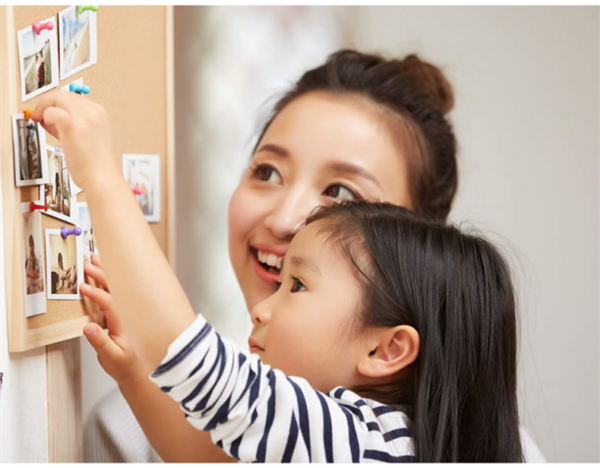
- ●DIY Photo Wall: Arrange your mini photos on a wall to create a unique, personalized display.
- ●Gift Ideas: Use mini photos in DIY gift-making, such as custom frames or personalized photo gifts.
Unlocking Your Creative Potential
You can print mini photos in three main ways: DIY at home, using a print service, or using a mini photo printer—each suited to different needs.
- ●DIY is the most budget-friendly
- ●Print services are simple but less flexible
- ●Mini photo printers offer the fastest and most convenient experience
If you want quick, high-quality prints without cutting or waiting, a mini photo printer is the easiest way to get started.
Start small, experiment with your style, and turn your favorite moments into something you can actually hold.
FAQ: Mini Photo Printing (Most Asked Questions)
How many mini photos fit on a 4×6 sheet?
It depends on the size of each photo:
- ●2×3 inch photos → typically 4 per sheet
- ●2×2 inch photos → usually 6 to 9 per sheet
- ●Polaroid-style prints → 2 to 4 per sheet
Using a proper layout helps reduce paper waste and ensures consistent sizing.
What are the best printer settings for mini photos?
For sharp and accurate mini photo printing, use:
- ●300 DPI resolution
- ●Glossy or matte photo paper
- ●100% scale (disable “Fit to Page”)
- ●High-quality print mode
These settings ensure correct sizing and prevent blurry output.
Can I print mini photos without cutting them?
Yes. You have two main options:
- ●Use a portable mini photo printer (e.g., 2×3 inch paper)
- ●Order pre-sized prints from a professional service
DIY printing usually requires cutting unless you use pre-sized photo paper.
Why do my mini photos print blurry?
Common causes include:
- ●Low-resolution images
- ●Printing below 300 DPI
- ●“Fit to Page” scaling enabled
- ●Using non-photo paper
Always use high-resolution images and proper print settings for best results.
Can I print mini photos directly from my phone?
Yes. The easiest way is to use a portable photo printer with its app:
- ●Open the app and choose a template or create a photo collage
- ●Adjust layout and photo settings
- ●Print wirelessly via Bluetooth or Wi-Fi
This method supports a variety of creative needs and makes instant printing quick and convenient.




